Pier
A quiet macOS menu-bar app that watches your servers and what's deployed on them — Docker stacks, container health, host metrics, and live logs — over the SSH you already use.
Import once, glance forever. Pull in DigitalOcean and Hetzner, or your ~/.ssh/config hosts, and see the whole fleet from one corner of your screen.
One license · one Mac · all future updates · macOS 14+ · Apple Silicon
Included
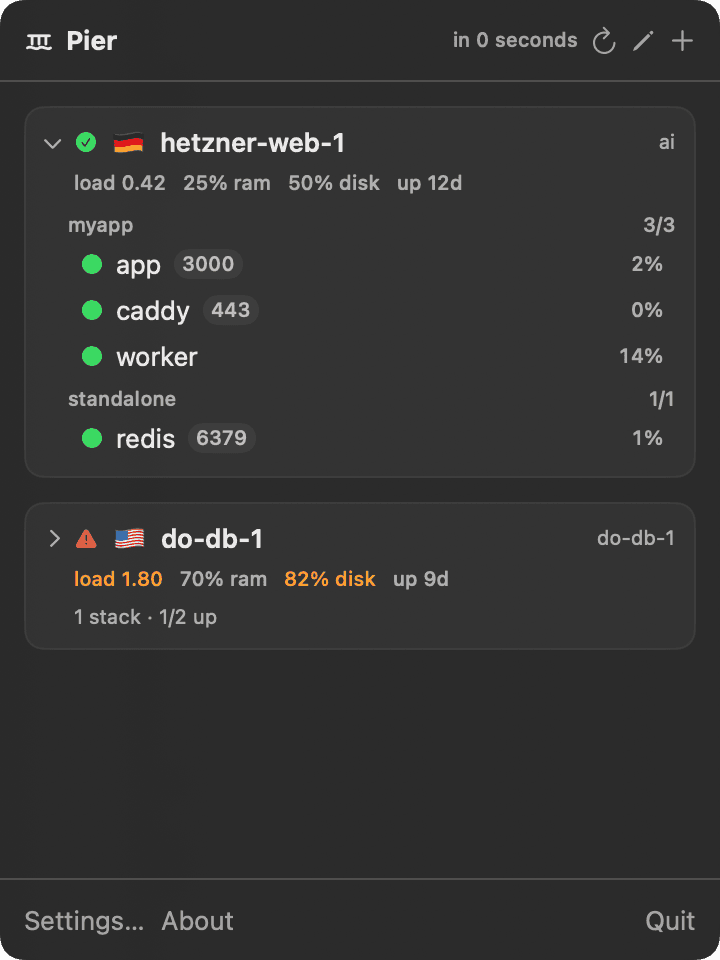
Your fleet, at a glance.
- Lives in the macOS menu bar
- Import DigitalOcean + Hetzner, or auto-add ~/.ssh/config hosts
- Docker Compose stacks + container health at a glance
- Host metrics — load, RAM, disk, uptime
- Live container logs, inline
- Per-container CPU/RAM load
- Open SSH in your terminal in one click
- Notifications when a container or host goes down
- Read-only by default — actions are opt-in
Drill in
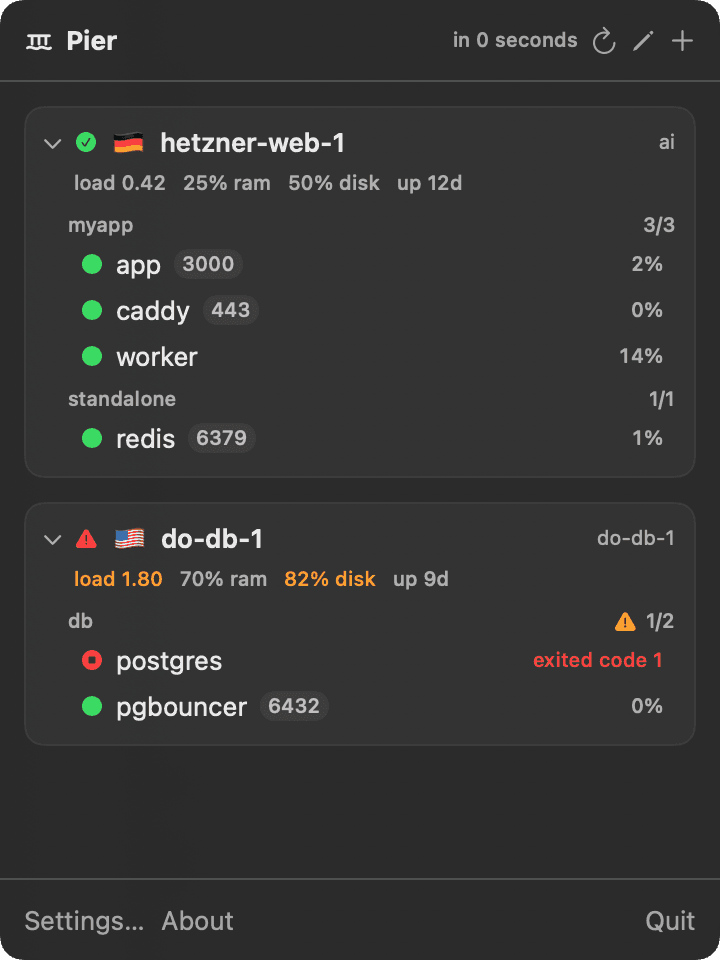
Expand a server to see every container.
Compose stacks, per-container state and CPU, ports, and a red flag the moment something exits — like postgres here.
1. After checkout, Stripe returns you to a license key.
2. Paste it into Pier to activate this Mac.
3. The key links to the first Mac that activates it.
FAQ
Small details.
What is Pier for?
Pier gives you one glanceable place for every server you run — what Docker stacks are deployed, whether they're healthy, host load/disk, and live logs — without opening a terminal or a heavy dashboard.
How does it connect?
Over your existing SSH (the same ~/.ssh config and agent you already use). Pier stores no SSH keys and no passwords, and is read-only by default — container restart/stop/start is an opt-in setting.
Do I need to enter my key after updates?
No. Pier saves the license in the macOS Keychain. Updates keep using the same saved license on that Mac.
Are future updates included?
Yes. One Pier license includes all future updates in perpetuity for the Mac activated by that license.
Know what's running, without opening a terminal.
One license activates one Mac and includes every future update. Paste your key once — Pier remembers it.